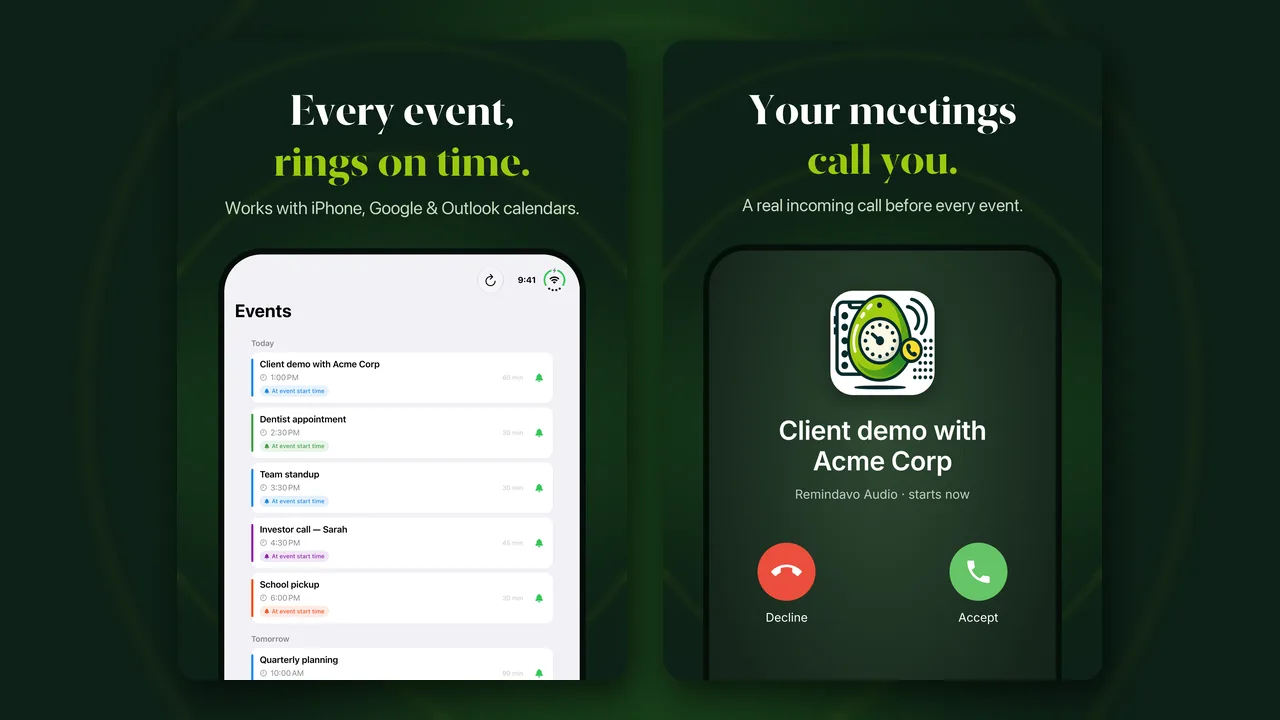
Apple's iPhone Duo arrived on October 23, and Remindavo is ready for it. Remindavo 1.4.3, out now on the App Store, is optimized for both iPhone Duo displays: the compact outer screen you use with the phone closed, and the big inner screen when you open it.
Nothing about how Remindavo works has changed. Your meetings still call you. It just looks right on Apple's newest iPhone, whichever way you hold it.
What's New on iPhone Duo
Fills both screens
Remindavo uses all of the outer display when the phone is closed and all of the inner display when it's open. No black bars, no stretched iPhone layout.
Easy to read when open
On the wide inner display, your events list, onboarding and plan screens keep a comfortable width instead of stretching edge to edge.
One-handed when folded
Closed, everything you need is on the outer screen: today's meetings, your call timing and a quick test call.
The same reminder calls
Each meeting still rings like a real incoming call with the event name on screen, folded or open, even when the phone is locked.
Why This Matters on a Foldable
Apps that haven't been updated for iPhone Duo still run, but at a fixed iPhone size, with empty space around them on the larger screens. For an app you glance at between meetings, that matters: you want to see what's next and when Remindavo will call, without squinting at a shrunken layout or opening the phone to find out.
We built 1.4.3 with Apple's latest tools for iPhone Duo and tested it on both displays, closed and open, in portrait and landscape. The everyday screens, Events, Settings and About, adapt to whichever display you're using, so the app feels at home on each one.
Also in 1.4.3: the About tab now shows the Remindavo logo instead of a plain dot, plus performance and stability improvements for every iPhone.
How to Get It
Already using Remindavo? Open the App Store, tap your profile picture and update Remindavo to version 1.4.3 or later. Your calendars, call timing, Do Not Disturb hours and account carry over.
New to Remindavo? Download it free from the App Store, allow access to your calendar (or connect Google or Outlook instead) and choose how early you want the call.
Try it. Tap Test Call in Settings to hear exactly what a reminder sounds like before your next meeting.
New to Remindavo?
Remindavo turns your calendar into phone calls. Before each timed event, your phone rings like a real incoming call and shows the event name, so a meeting, appointment or school pickup is impossible to miss, even with the phone in your pocket or face down on the desk. We explain why that works when banners don't in why calendar notifications fail.
- Free forever plan: unlimited app reminder calls for events on your phone's calendar, plus 5 real phone calls.
- Premium: $9.99 a month or $99.99 a year, adding realtime Google and Outlook calendar sync and unlimited real phone calls.
- Everywhere you are: iPhone (iOS 16 or later, now including iPhone Duo), Android, and the web at web.remindavo.com.
New to setting reminders on iPhone? Our guide on how to set a reminder on iPhone covers the built-in options and the settings that silently stop them.