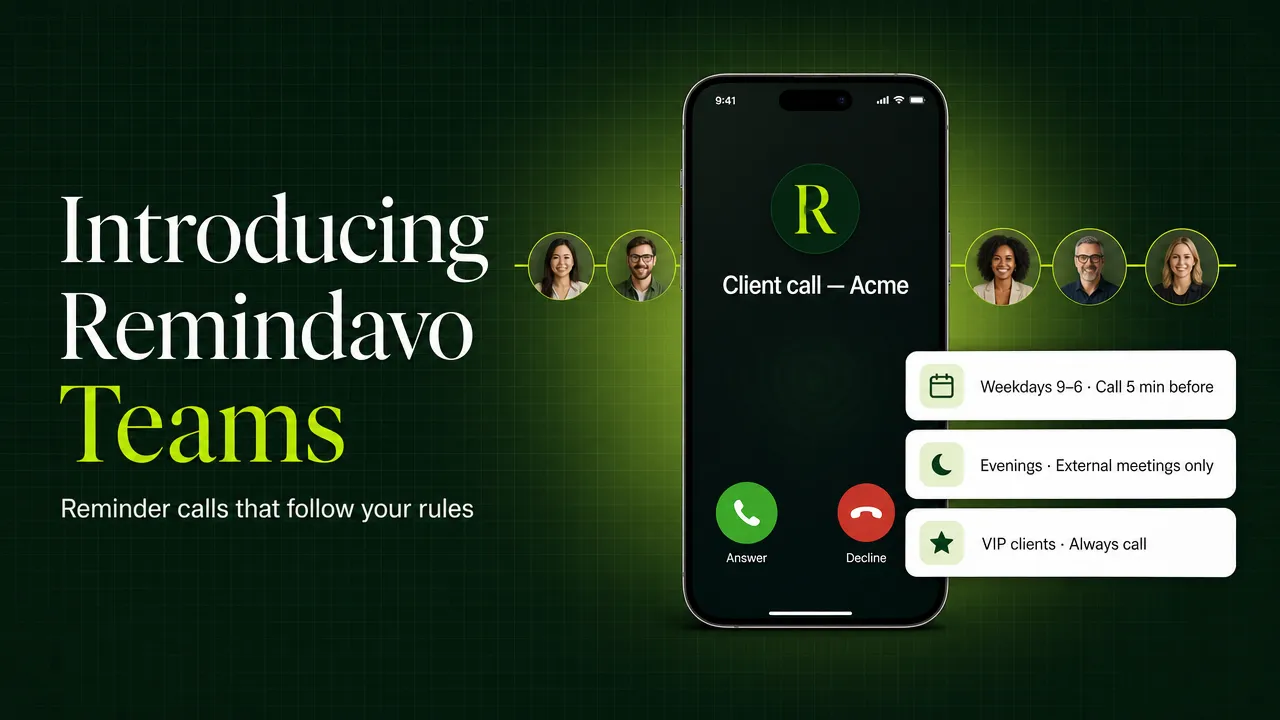
Today we're launching Remindavo Teams, our first plan built for more than one person. It brings one new idea to the phone call reminder: not every meeting deserves the same call.
The short version
- Custom reminder rules by hours and days, internal vs external meetings, VIP clients and keywords
- Up to 5 people for $59/month, and each person keeps their own rules
- 100 phone calls per person per month, plus unlimited calls through the iPhone & Android app
- Works with Google Calendar and Outlook, and the first seat is free while you try it
Why we built it
Remindavo calls your phone before every meeting on your calendar. For most people that's exactly right. But we kept hearing the same thing from people whose calendars run all day: "I want a call for the client meeting at 8pm, not for our internal sync at 8pm."
One lead time for everything was too blunt. A stand-up with your own team doesn't need the same alarm as a contract review with a new customer. A meeting on Saturday is different from a meeting on Tuesday. And people working across time zones were stuck choosing between being woken up by every meeting or missing the one that mattered.
So we built Teams together with our first testing teams, on their real calendars, and kept adjusting the rules until they matched how those teams actually work.
What's new: reminder rules
Every Teams seat gets a rulebook. Each rule says when it applies, which meetings it covers, and what happens. Your rules are checked top to bottom, and anything they don't cover falls to your "Everything else" setting.
Internal vs external
Remindavo reads each meeting's guest list. Anyone from outside your company makes it external, and you can add extra domains your company uses.
Hours & days
Different lead times for working hours, evenings and weekends, in your own time zone.
VIP clients
Always get a call for meetings with specific people or client domains, even when other rules stay quiet.
Keyword rules
Always call for "Interview" or "Board". Never call for "Lunch" or "Focus time".
Double reminders
Two calls for the big ones: 30 minutes before to prepare, 2 minutes before to join.
Smart skips
Skip meetings you've declined, or blocks with only you on them, so your phone only rings for real meetings.
A day with Teams
Here's what an evening looks like with three simple rules: call 5 minutes before everything during working hours, call 15 minutes before external meetings in the evening, and never call for internal meetings after 6pm.
Same calendar, nothing to tag or sort by hand. Remindavo works out which meetings are internal from the guest list and lets your rules decide.
Built for small teams, not company-wide rollouts
Teams doesn't ask you to roll anything out to your whole company. You handpick who gets a seat, and it can be just you to start. Your company domain is only used to tell internal meetings from external ones. Nobody else at your company is added or affected.
- Everyone keeps their own settings. Each person sets their own rules, lead times and calendars. Nobody's reminders change because of someone else's.
- One bill. The team admin pays once for every seat and can add or remove people anytime.
- Priority onboarding. We help you set up your first rules so they're right from day one.
- Quiet hours carry over. If you already use Do Not Disturb, your quiet hours become a "don't call" rule when you join.
Works where your meetings are
Teams works with Google Calendar and Microsoft Outlook / Microsoft 365, including their guest lists. Reminder calls come to your phone number, and through the Remindavo app on iPhone and Android, where calls are unlimited and follow the same rules. You set rules on the web today; editing them inside the apps comes with the next app update.
Pricing
- Up to 5 people, each with their own rules
- 100 phone calls per person, every month
- Unlimited calls through the mobile app
- Free trial for the first seat · cancel anytime
Need more than 5 people or more phone calls? Talk to us and we'll set up a larger plan. If you just need reminders for yourself, the personal plan stays at $10/month and includes everything it always has.
What's next
This is the first release of Teams, not the last. Next up:
- Backup person. If you don't pick up, Remindavo calls an assistant or teammate so the meeting is still covered.
- Team reminder log. See which reminders went out across the team and which were answered.
- Rules in the apps. Create and edit rules right from your iPhone or Android phone.
If there's a rule you wish existed, reply to any Remindavo email and tell me. Most of what's in this launch started as a message like that.
Start your Remindavo Teams trial
Leave your work email and we'll set up your team within one business day. The first seat is free while you try it.
Start your Teams trial See how rules work